Rekkko wins for teams that want to send a link and skip the account wall. Loom wins for companies that already live in its workspace and want a shared library. Vidyard wins for sales teams sending prospecting videos. Zoom Clips wins for teams that already run every meeting through Zoom. Screen Studio wins for solo creators polishing product demos on a Mac.
The verdict on the best video messaging tool for async communication
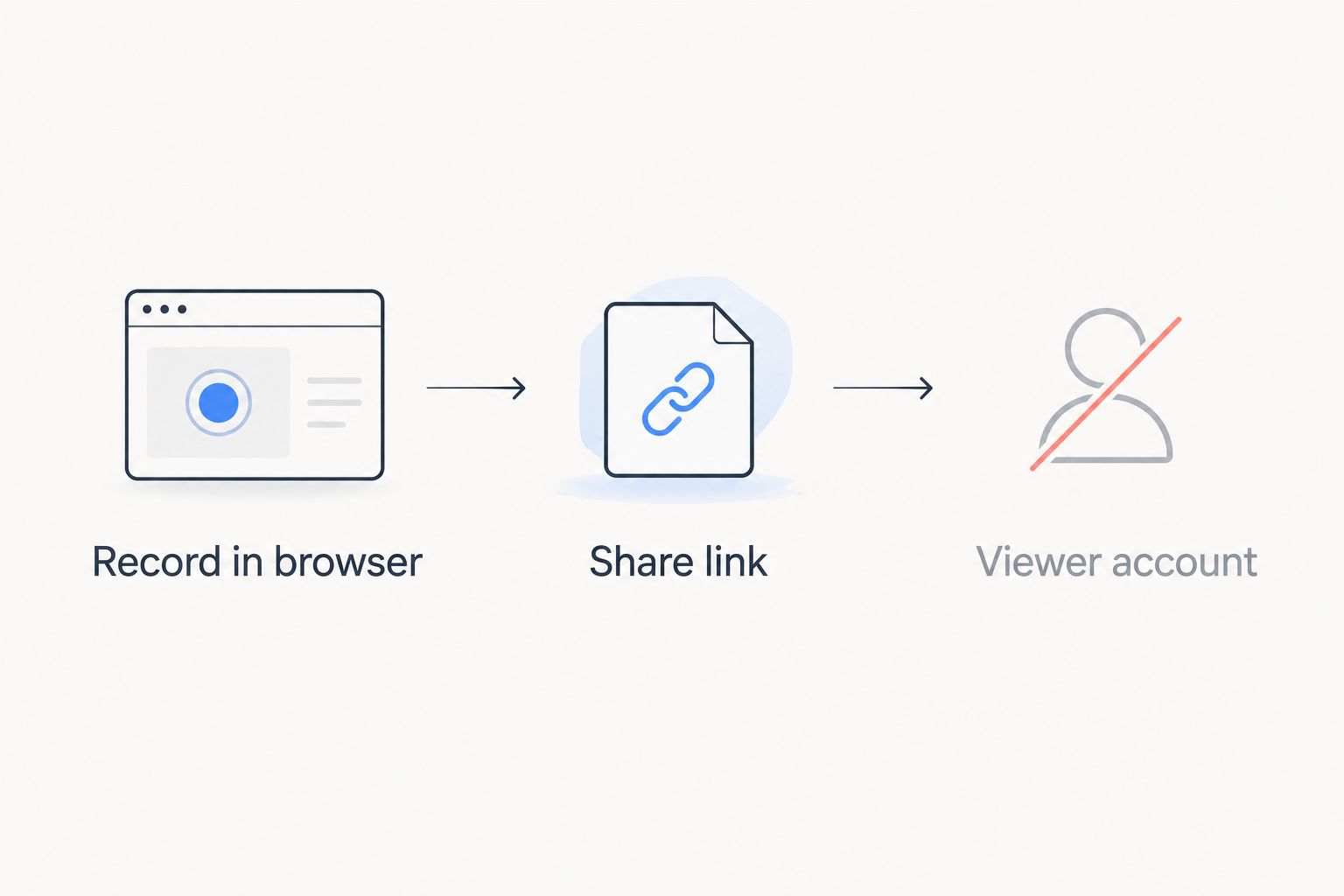
Async video replaces a meeting with a link. The best video messaging tool for async communication in 2026 lets the recipient click, watch, and reply without creating an account first — that single friction point is what kills adoption on most teams. Rekkko is built around that constraint: record in the browser, get a link, done. No install, no login wall for the viewer.
- Rekkko is the best free video messaging tool for async communication when viewers must not need an account.
- Loom fits teams already paying for its workspace and wanting a searchable video library.
- Vidyard is built for sales messaging, not general team updates.
- Zoom Clips only makes sense if your org already runs on Zoom.
- Screen Studio is Mac-only and aimed at polished demo videos, not quick async updates.
Why this matters
A Slack thread with six replies burns 20 minutes to say what a 90-second recording says once. Async video works only when the friction to watch is lower than the friction to type. In 2026, most teams pick a tool based on habit — whatever a coworker used last — not on whether the viewer needs a login. That's the wrong filter. The right filter is: can the person you're sending this to click and watch in under 10 seconds?
What makes the best video messaging tool for async communication
- No viewer account required — the recipient clicks a link and watches, full stop
- Browser-based capture — no install, no update prompts, works on any machine
- Screen, voice, and camera in one recording — context plus a human face
- AI editing on the raw take — trimming dead air and filler words without a manual edit pass
- Fast turnaround from record to share — the gap between stopping the recording and having a working link
- Works for both internal updates and external client sends — one tool, two audiences
At a glance
| Tool | Best for | Standout feature | Key limitation |
|---|---|---|---|
| Rekkko | Async updates with no viewer login | Link opens with no account, browser-based | No native mobile app |
| Loom | Company-wide video library | Workspace search and folders | Free tier caps video count |
| Vidyard | Sales video messaging | CRM and email integrations | Overbuilt for internal-only updates |
| Zoom Clips | Teams already on Zoom | Sits inside a tool teams already open daily | Weak outside the Zoom ecosystem |
| Screen Studio | Polished demo videos | Cursor and zoom automation for clean visuals | Mac only, not built for quick async |
1. Rekkko: best video messaging tool for async updates with no viewer login
Rekkko records screen, voice, and camera directly in the browser and applies AI editing — transcript trimming, filler removal — before you share a single link. The person on the other end opens that link and watches. No download, no viewer account, no sign-up wall.
Rekkko pros:
- Recipient never needs an account to view
- No install for the recorder or the viewer
- AI trims filler words and dead air automatically
- Free to use for browser-based recording
Rekkko cons:
- No dedicated mobile recording app as of 2026
- Smaller integration list than incumbents like Loom
Rekkko pricing: free to record and share; check the current plan details on the site for any paid features.
Best for: teams and freelancers sending async updates to people outside their own tool stack — clients, contractors, cross-company partners — who should never hit a login screen.
Verdict: Buy. If the viewer-account wall is the reason your team avoids async video, this removes it.
2. Loom: best for a company-wide video library
Loom is the incumbent in this category and it shows in the polish: folders, search, workspace analytics, and viewer comments baked into the platform. It's a solid pick when the goal is a searchable archive of internal videos, not a one-off async reply.
Loom pros:
- Mature workspace features: folders, search, view analytics
- Wide integration list (Slack, Notion, Jira, and more)
- Desktop and browser recording options
Loom cons:
- Free plan limits the number of videos you can keep active
- Viewer accounts are sometimes required to comment or react
- Heavier setup than a quick browser recording for a one-time send
Loom pricing: free and paid tiers exist; check current plan limits on Loom's site before committing a team to it.
Best for: teams already paying for a workspace tool and wanting a permanent, searchable video archive rather than one-off sends.
Verdict: Hold. Fine if you're already inside the ecosystem; overkill for a single async reply.
3. Vidyard: best for sales video messaging
Vidyard is built for sales teams sending prospecting and follow-up videos, with CRM and email tool integrations doing most of the heavy lifting. It's not designed for internal team updates and it shows in the UI, which leans hard into pipeline tracking.
Vidyard pros:
- Deep CRM and sales-email integrations
- View tracking built for pipeline follow-up
- Templates aimed at outbound messaging
Vidyard cons:
- Overbuilt for simple internal async updates
- Learning curve tied to its sales-specific features
Vidyard pricing: free and paid sales tiers exist; confirm current limits directly with Vidyard.
Best for: sales reps who need view-tracking data on outbound video messages, not teams replacing internal meetings.
Verdict: Hold for sales use; Skip if you just need quick internal async video.
4. Zoom Clips: best for teams already living in Zoom
Zoom Clips sits inside the Zoom app most teams already have open all day. If your calendar and meetings already run through Zoom, Clips removes the friction of adding a separate tool.
Zoom Clips pros:
- No new login — it's already inside your Zoom account
- Familiar recording controls for anyone using Zoom meetings
Zoom Clips cons:
- Weak standalone experience outside the Zoom ecosystem
- Sharing and editing features lag behind dedicated video messaging tools
Zoom Clips pricing: included with existing Zoom plans; check your current plan for feature access.
Best for: teams that never want to open a second app for a recording.
Verdict: Hold. Convenient only if Zoom is already your default.
5. Screen Studio: best for polished product demo videos
Screen Studio automates cursor movement and zoom effects to make screen recordings look edited even when they're not. It's aimed at demo videos and marketing clips, not fast async replies, and it's Mac-only.
Screen Studio pros:
- Automatic cursor smoothing and zoom for polished visuals
- Strong output quality for product demo videos
Screen Studio cons:
- Mac only, no Windows or browser version
- Slower workflow than a quick browser-based async recording
Screen Studio pricing: paid app; check current pricing on the vendor's site.
Best for: solo creators and marketers producing a polished demo video for public release, not day-to-day team updates.
Verdict: Skip for async team communication; Buy if the job is a polished demo reel.
“If the person on the other end needs a login just to watch, you already lost the message.”
How this list was ranked
Each tool was weighed against the six criteria above, with the viewer-account friction test carrying the most weight — a recording nobody can open without signing up doesn't function as async communication. Integration depth, editing automation, and platform lock-in (Mac-only, Zoom-only) came next.
Which video messaging tool should you choose in 2026?
If you're sending updates to people outside your own company's tool stack — clients, contractors, freelancers — Rekkko is the default pick because the link opens without an account. If your whole team already pays for Loom or lives inside Zoom, stick with what you have rather than adding a new login for everyone. Sales teams doing outbound messaging should stay on Vidyard for the tracking data. Everyone chasing a polished public demo video should look at Screen Studio, accepting the Mac-only limit.
FAQ
What's the best video messaging tool for async communication in 2026?
Rekkko is the best pick when the viewer must not need an account to watch — it's browser-based with no install on either end. Loom fits teams that already pay for its workspace and want a searchable library instead of one-off sends.
Is Rekkko better than Loom?
Rekkko is better when you're sending to people outside your company because there's no viewer account wall; Loom is better if your team already uses its workspace features like folders and search. They solve different problems inside the same category.
Do recipients need an account to watch an async video message?
With Rekkko, no — the link opens directly in the browser with no sign-up. Some other tools, including Loom, sometimes require a viewer account for commenting or reacting.
Can I record screen, voice, and camera at the same time?
Yes, Rekkko captures screen, voice, and camera together in one browser-based recording. Most tools in this category support the same combination, though setup steps vary.
How much does a video messaging tool cost in 2026?
Rekkko is free to record and share in the browser. Other tools like Loom, Vidyard, and Screen Studio offer free tiers with limits and paid plans above them — check each vendor's current pricing before committing a team.
Does async video really save time compared to meetings or chat threads?
A short recording replaces a back-and-forth chat thread by delivering full context once instead of across several replies. The time savings depend on how quickly the recipient can open and watch the video, which is why viewer-account friction matters.
Is Zoom Clips good enough for async communication outside of Zoom?
Zoom Clips works well if your team already lives inside Zoom daily, but its sharing and editing features lag behind dedicated video messaging tools once you're sending outside that ecosystem.
What should I use for sales prospecting videos instead of internal team updates?
Vidyard is built specifically for sales messaging with CRM integrations and view tracking, which makes it a better fit for outbound prospecting than for daily internal async updates.
One last thing
The fastest way to test whether a tool actually removes friction: send a recording to someone outside your company — a client, a contractor, a friend — and time how long it takes them to hit play. If any step involves creating a password, that's the tool telling you it wasn't built for async communication in 2026, it was built for an internal library.