
Rekkko is the best overall pick for a free screen recorder no download setup in 2026 because it captures screen, voice, and camera in the browser and lets anyone watch the finished link without creating an account. Rekkko wins on the no-friction combo of recording and sharing; Vidyard is the better call for sales teams recording prospecting videos; Screencastify is the right pick for classroom and education use.
- Rekkko is the best overall free screen recorder no download pick for 2026 team sharing.
- Loom wins for quick async video messages dropped into Slack or email.
- Vidyard is built for sales prospecting videos and tracked video emails.
- Screencastify fits classroom recording better than any general business tool here.
- All seven tools record screen, voice, or camera in a browser tab with zero install.
Why this matters
Most "no download" claims are half-true. The recorder skips the install, but the person watching still gets asked to sign up, install an extension, or wait for a slow upload before the video plays. In 2026, the tools worth using solve both halves: recording without software, and sharing without gatekeeping the viewer.
That second half is where most "free screen recorder no download" lists fall apart, because the comparison usually stops at the record button. This one doesn't.
What makes the best free screen recorder no download
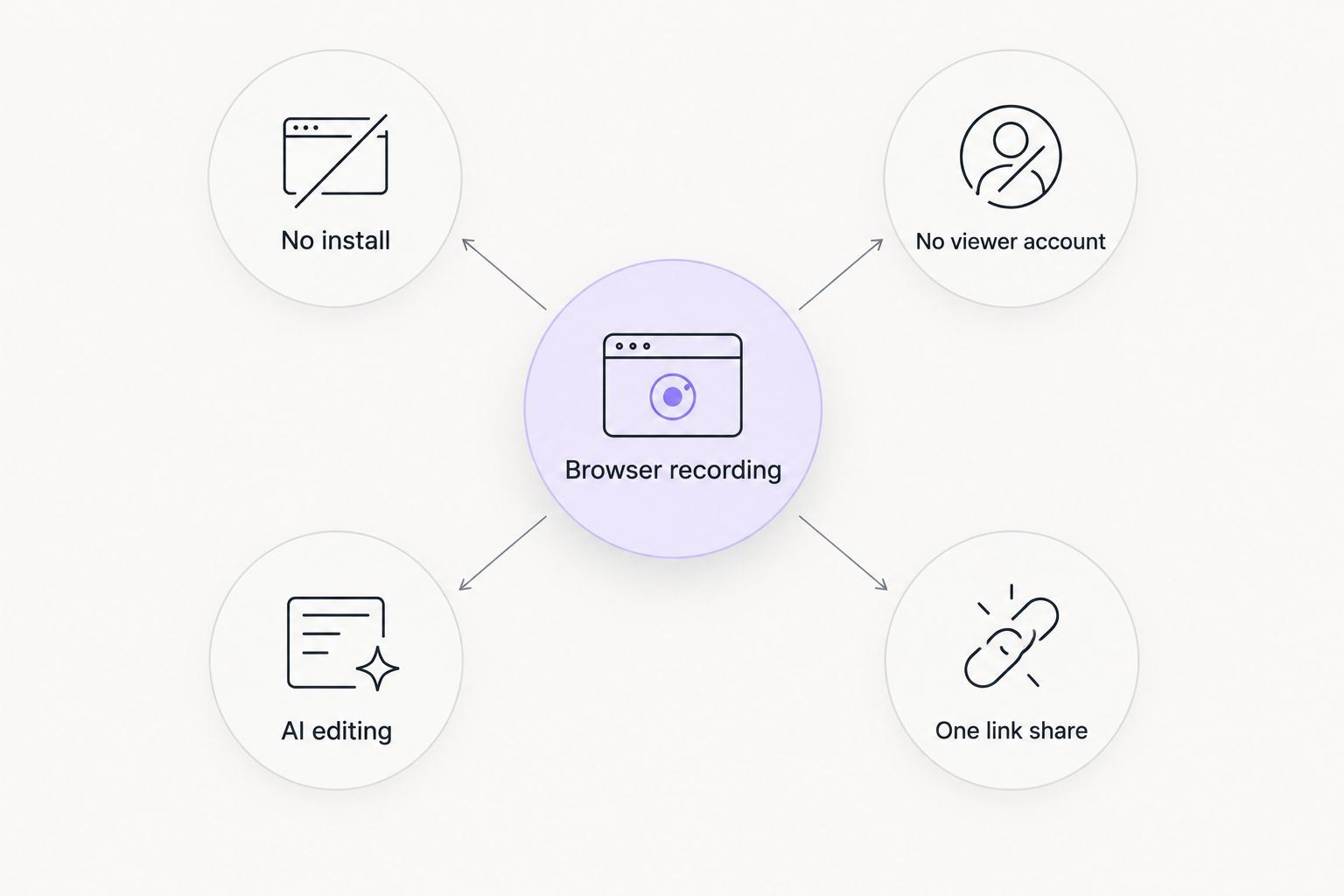
- No installation or extension required to start recording
- No account needed for viewers to open and watch the shared link
- Screen, voice, and camera capture in a single recording
- AI-assisted editing that trims silence and cuts filler words
- One-link sharing instead of exporting and uploading files
- A free tier usable for real work, not a five-minute trial
Free screen recorder no download: at a glance
| Tool | Best for | Standout feature | Key limitation |
|---|---|---|---|
| Rekkko | Team sharing without viewer accounts | AI trims filler words automatically | Built for single-link sharing, not a video library |
| Loom | Quick async video messages | Familiar to teams already using it | Free-tier length and video caps |
| Vidyard | Sales prospecting videos | Built-in view tracking for outbound | Less useful outside sales workflows |
| ScreenApp | One-off recording, no signup friction | Minimal setup before recording | Fewer editing tools for ongoing use |
| Veed.io | Editing and captions after recording | Recorder and editor in one tab | More steps than a one-click recorder |
| CloudApp | Screenshots, GIFs, and short clips | Three capture types in one toolbar | Recording feels secondary to GIFs |
| Screencastify | Classroom and education recording | Simple flow built for lessons | Tuned for schools, not business teams |
1. Rekkko: best overall free screen recorder no download for team sharing
Rekkko runs in the browser tab you already have open, capturing screen, voice, and camera together without a plugin or install. Recordings get AI editing on the spot — trimming dead air and cutting filler words like "um" and "uh" — before the link goes out. The person on the other end opens it and watches; no account, no download.
Rekkko pros:
- No download, no extension, no viewer login required
- AI editing trims silence and filler words automatically
- Screen, voice, and camera capture in one pass
- Free to use for actual work, not a limited trial
Rekkko cons:
- Built around single-link sharing rather than a searchable video library
- Newer entrant, so third-party integrations are still catching up
Verdict: Buy.
2. Loom: best free screen recorder no download for async video messages
Loom's whole reputation is built on hitting record from a browser and dropping the link into Slack, email, or a doc instead of scheduling a call. It's the tool most teams already mean when they say "just send a Loom."
Loom pros:
- Fast to open and start recording
- Already familiar to teams that use it daily
- Camera bubble overlay for a personal touch
Loom cons:
- Free-tier length and video caps limit longer walkthroughs
- Deeper editing and library features sit behind paid plans
Verdict: Buy for quick async updates.
3. Vidyard: best for sales teams recording prospecting videos
Vidyard is built for reps who need to record a personalized clip, embed it in an email, and see whether the prospect actually watched. Screen and webcam recording runs from the browser without a desktop install.
Vidyard pros:
- View-tracking built specifically for outbound sales
- Embeds directly into email tools
- Browser recording with no extension for basic use
Vidyard cons:
- Sales-specific framing gives non-sales teams less value
- Editing options are lighter than dedicated video editors
Verdict: Buy for sales teams, skip for general internal use.
4. ScreenApp: best for solo recording without signup friction
ScreenApp is built for hitting record on a tab or window with almost no setup, aimed at someone who needs to capture one thing and share it fast.
ScreenApp pros:
- Minimal setup before recording starts
- Handles quick, one-off captures well
- Fully browser-based, no install
ScreenApp cons:
- Fewer editing tools than recorders built for post-production
- Less suited to recurring team workflows
Verdict: Hold — fine for a one-off, not a daily driver.
5. Veed.io: best for editing and adding captions after recording
Veed.io pairs browser-based screen recording with a full online editor, so a captured clip can be trimmed, captioned, and exported without switching tools.
Veed.io pros:
- Recording and editing live in the same browser tab
- Good for turning a rough capture into a finished video
- No install for recording or editing
Veed.io cons:
- More steps than needed if you just want to record and send
- Editor-heavy interface can feel like overkill for a two-minute clip
Verdict: Buy if you plan to edit; skip if you just need to hit record and share.
“If a recording needs more than one click to start, it isn't really a no-download tool.”
6. CloudApp: best for mixing screenshots, GIFs, and short recordings
CloudApp treats screen recording as one option alongside screenshots and GIFs, built for people bouncing between all three when reporting bugs or giving quick feedback.
CloudApp pros:
- Screenshots, GIFs, and recordings from one toolbar
- Fast for bug reports and design feedback
- Browser extension stays out of the way until needed
CloudApp cons:
- Recording feels secondary to the screenshot and GIF tools
- Not built for longer walkthroughs
Verdict: Hold — a useful utility player, not a primary recorder.
7. Screencastify: best for classroom and education recording
Screencastify grew up as a Chrome extension built for teachers recording lessons and students submitting video assignments, and that classroom use case still shapes the product in 2026.
Screencastify pros:
- Familiar to schools already running Chromebooks
- Simple recording flow for lessons
- Browser-based with no separate install
Screencastify cons:
- Features and free-tier limits are tuned for education, not business
- Less relevant outside a classroom setting
Verdict: Buy for classrooms, skip for business teams.
How we ranked
Every tool here was checked against the same six criteria: no install, no viewer account, combined screen/voice/camera capture, AI editing, one-link sharing, and a free tier that actually holds up for daily use. Tools that nailed the recording half but added friction on the viewer side dropped in rank; tools that solved both moved up.
Record without asking anyone to sign up
Capture screen, voice, and camera in the browser and share one link.
Which free screen recorder should you choose?
For most teams sharing recordings with people outside their own tool stack, Rekkko is the default in 2026 — screen, voice, and camera in one capture, AI editing built in, and no account wall for the viewer. Pick Vidyard if the recording is a sales touchpoint you need to track, Screencastify if it's headed to a classroom, and Veed.io if the plan is to edit and caption before sending.
FAQ
What's the best free screen recorder with no download in 2026?
Rekkko is the strongest overall pick because it records screen, voice, and camera in the browser and lets viewers watch the shared link without an account. Loom and Screencastify are close alternatives for specific use cases like async messages or classrooms.
Is Rekkko free to use for screen recording?
Yes, Rekkko is free and browser-based, with no software install required to record. AI editing features like filler-word removal are built into the recording flow.
Do viewers need an account to watch a shared recording?
With Rekkko, no — the shared link opens and plays without the viewer signing up. Several other tools on this list still ask viewers to create an account before playback.
Can I record my camera and voice at the same time as my screen?
Yes, Rekkko, Loom, and Vidyard all support combined screen, voice, and camera capture in one recording. CloudApp and ScreenApp lean more toward screen-only captures.
Is Loom truly no-download?
Loom's browser and extension-based recording doesn't require a desktop install for basic use. Some advanced features are tied to its Chrome extension rather than a pure web app.
What's the difference between a browser-based recorder and a browser extension?
A browser-based recorder runs entirely from a web page with nothing added to your browser. A browser extension, like Screencastify's core setup, adds a small piece of software to Chrome that stays installed after you close the tab.
Which screen recorder is best for classrooms?
Screencastify is built specifically for education, with a recording flow tuned for lessons and student submissions. Its free-tier limits reflect that classroom focus rather than business use.
Does AI editing actually remove filler words automatically?
Rekkko's AI editing trims dead air and cuts filler words like "um" and "uh" as part of the recording workflow. Not every tool on this list includes automatic filler-word removal — check before assuming it's standard.
One last thing
The part everyone skips when comparing screen recorders isn't the recording — it's what happens the moment you hit send. Most tools solve the record-without-installing half of "no download" and quietly reintroduce friction on the watching end. In 2026, the recorders worth keeping, Rekkko included, solve both halves at once.